PPSC Online Apply - Step by Step Process to Apply Online for PPSC Jobs
Job Search Through Punjab Public Service Commission (PPSC)
A job search through the Punjab Public Service Commission (PPSC) will help you.
Introducing an internet system has made it easier for the Punjab Public Service Commission (PPSC) to manage applications. With the internet, applicants for PPSC positions may now apply from their homes, hence no more need for conventional paper-based techniques.
Using This Online Platform, Candidates May:
✅ Check openings from other sources of employment
✅ Submit application papers electronically
✅ Electronically file any needed files
Rather than browsing online application forms, candidates may swiftly apply for several government jobs in Punjab.
Upcoming Employment & Application Revisions
Candidates can also edit their application once it has been accepted before the last closing date.
Step by Step Process to Apply Online for PPSC Jobs
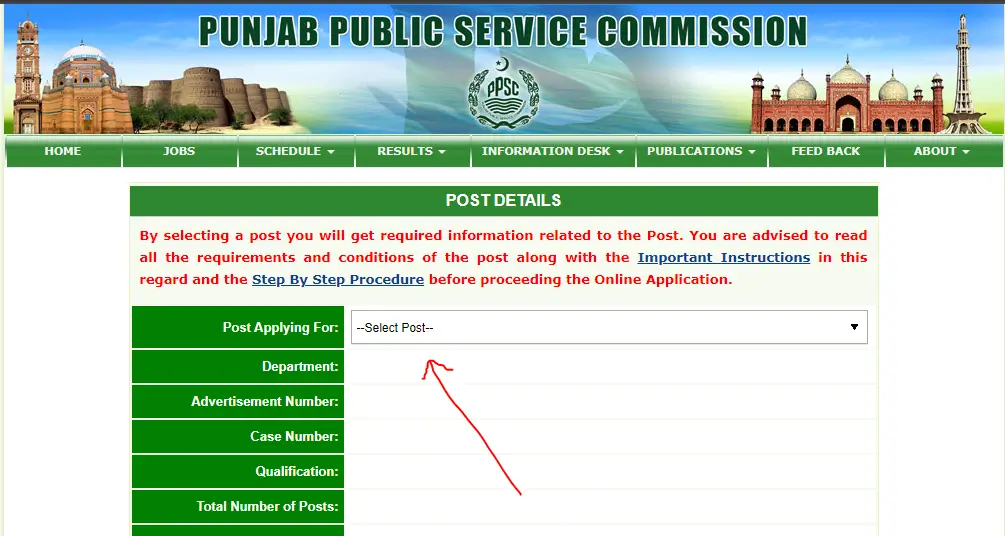
After You click the above link, the following screen will open:
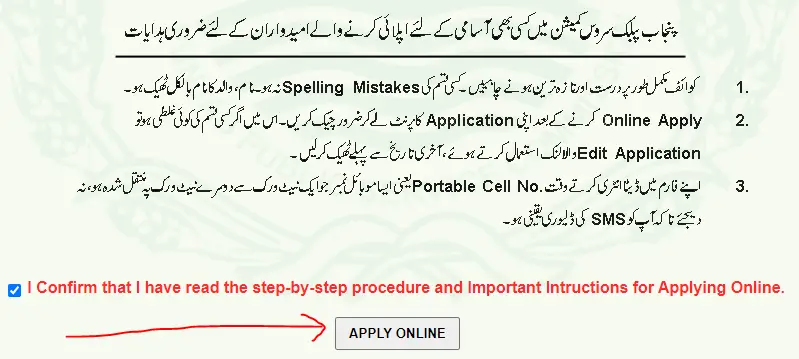
3) On the next page, read the “Important Instructions” and the “EPay User Manual.” Then, check the box to agree to the terms, and finally, click the “Apply Online” button.
4) Under the Basic Information Section, enter your CNIC with dashes and without dashes and click on Proceed.

5) Under the Contact Information Section, enter your email address and Mobile number and click on Proceed.

6) Verify your contact details. Click on Change Email/Mobile if you want to change something because you will not be able to modify it later. If everything is correct, click on Verify.

7) In the “Preliminary Information” section, type in your information like your birth date, gender, type of employment, if you have any disabilities, and if you’re a person from the armed forces. After you’ve entered all your details, click the “Proceed” button.

9) The system will create your Payment System Identifier Number (PSID). Follow the instructions in the “EPay User Manual” to pay the required fee for the job you’re applying for. Once you’ve paid, click the “Next” button.
10) Upload a recent photo of yourself and an image of the front of your CNIC (National Identity Card). Make sure the size of each image is less than 25KB.
11) Enter your education information and then click the “Save Information” button.

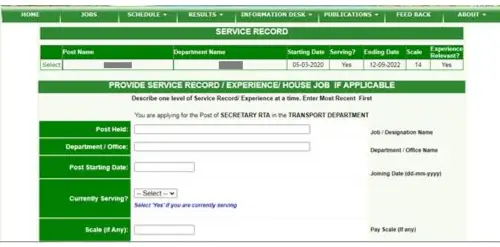
12) If you have any work experience, add those details. Then, click the “Save Information” button, and finally, click the “Next” button.
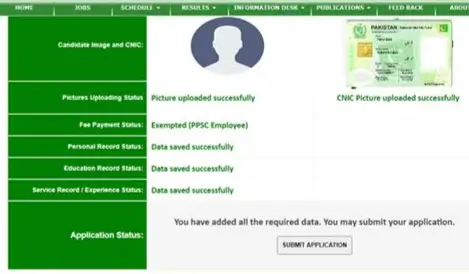
13) Once you’ve entered all the necessary information, the “Submit Application” button will become clickable. Click on it to proceed to the Application Submission Page. On this page, read the statement, check the box to confirm your agreement, and then click the “Submit Application” button to finalize your submission.

:FAQs:
Q1: How can I apply online for PPSC jobs?
You can apply online for PPSC jobs by visiting the official PPSC website, selecting the desired job advertisement, filling out the application form, uploading required documents, and paying the challan fee through the prescribed method.
Q2: Do I need to create an account before applying on the PPSC website?
Yes. To apply online, you must create an account or log in with your existing PPSC profile. This ensures your personal details and application history are stored for future use.
Q3: What documents are required for the PPSC online application process?
You will typically need scanned copies of your CNIC, recent passport-sized photograph, educational certificates, and challan form receipt.
Q4: How do I pay the PPSC challan fee?
The PPSC challan fee can be paid at designated banks or via online banking/mobile banking, depending on the available payment methods mentioned in the job advertisement.
Q5: How can I confirm that my PPSC application has been submitted successfully?
After completing the online application and paying the challan fee, you can log in to your PPSC account to check the application status. A confirmation message or downloadable application slip will appear if your submission is successful.